Rohan
Rohan
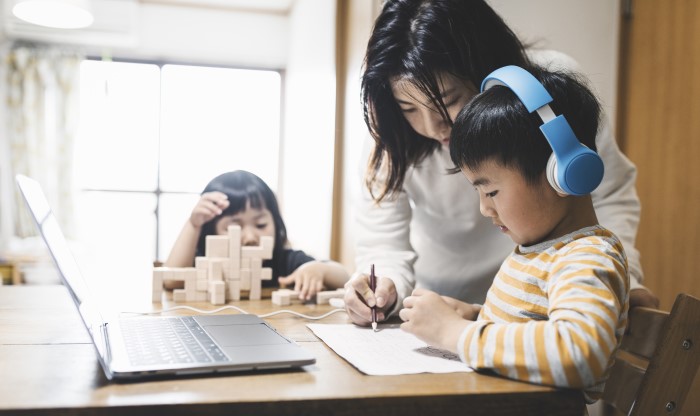
Virtual learning tips for kindergarten parents to make online school fun, effective, and stress-free. Easy strategies for success at home!
Virtual Learning Tips for Kindergarten Parents
Is your kindergartener bouncing off the walls instead of focusing on virtual class? You’re not alone—and there’s help! 🙋♀️
Virtual learning for kindergarteners can feel like herding hyperactive squirrels. You also have to work, make lunch, and pretend you’re in control.
But here’s the truth: virtual learning can work for kindergarteners. It doesn’t have to make you lose your mind. You just need the right tools, mindset, and a few game-changing tips.
Let’s dive into the ultimate guide to making virtual learning fun, focused, and frustration-free—for both your kid and you.
👩🏫 What Is Virtual Learning for Kindergarten?
Virtual learning is when your child goes to school from home using a device. They watch live video lessons, use educational apps, and do virtual activities instead of being in a classroom.
For kindergarteners, this can be tricky. They’re new to learning, love to move and play, and can’t focus for long.
But don’t worry—we’ve got strategies to make it work.
🎯 Tip 1: Set Clear Routines From Day One
Kindergarteners love structure. When they know what to expect, they behave better and learn faster.
Try this daily routine:
- 🕗 Wake-up, breakfast, get dressed
- 🧑💻 Virtual class
- 🍎 Snack & brain break
- 📚 Learning activity or craft
- 🍽️ Lunch & playtime
- 💤 Quiet time or nap
“The more predictable the routine, the more relaxed the child.”
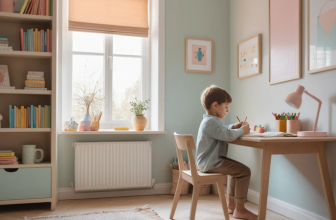
🪑 Tip 2: Create a Kid-Friendly Learning Space
Make learning special! You don’t need a fancy classroom. Just a small, organized space that belongs to them.
Essentials to include:
- Child-sized desk or table
- Comfy chair (no rolling wheels!)
- Headphones 🎧
- Crayons, pencils, paper
- A few books or fidget toys nearby
Avoid distractions like TVs, toys, or high-traffic areas.
📋 Table: Simple Virtual Learning Setup Checklist
| Item | Purpose | Budget-Friendly Option |
|---|---|---|
| Laptop or tablet | Access classes and materials | Borrow from school or use tablet |
| Headphones | Blocks noise & boosts focus | Child-sized headphones |
| Learning corner/desk | Creates structure | Kitchen table with mat |
| Visual schedule | Keeps routine on track | DIY poster with pictures |
| Supplies basket | Easy access to materials | Shoebox or plastic bin |
💡 Tip 3: Use Visual Schedules
Kids this age are visual learners. A chart with pictures of each daily activity makes transitions smoother.
👉 Create a chart showing:
- Class time
- Snack breaks
- Outdoor play
- Reading time
- Cleanup
Use stickers, magnets, or Velcro so your child can check off tasks!
🎨 Tip 4: Keep Lessons Hands-On and Fun
Sitting in front of a screen is hard for a 5-year-old. Mix in plenty of off-screen activities like:
- Building letters with Play-Doh
- Counting snacks 🍪
- Sorting laundry by color
- Making alphabet flashcards
Learning through play is the secret sauce at this age.
⏱️ Tip 5: Use Timers and Transitions
Kids don’t understand time like we do. Use visual or sound timers to signal:
- Class starting
- Break time
- End of learning
Bonus tip: Play a special song to signal transitions! 🎶
🧠 Tip 6: Keep Sessions Short and Sweet
Attention spans for kindergarteners? About 5–10 minutes max per task.
Break learning into bite-sized blocks:
- 10 mins of focused activity
- 5 mins of break or movement
- Repeat!
Overloading = meltdowns 😩
👂 Tip 7: Stay Nearby But Hands-Off
Let your child feel independent, but don’t wander too far. Sit close enough to help troubleshoot tech or calm nerves—but not hovering.
“Guide from the side, don’t hover like a helicopter.”
🧩 Tip 8: Build In Brain Breaks
Movement helps boost learning. Every 20–30 minutes, do something active:
- Dance party 💃
- Animal walks (bear crawl, frog jumps)
- Yoga stretches
- Scavenger hunts
Kids NEED to wiggle. Let them!
🍎 Tip 9: Don’t Skip Snack Time
A hangry kindergartener is not ready to learn.
Offer healthy, easy-to-grab snacks like:
- Apple slices with peanut butter
- Cheese sticks
- Crackers & fruit
- Mini sandwiches
Water + snacks = more focus.
🧩 Table: Smart Brain Break Ideas by Time Limit
| Time Available | Activity Example | Fun Factor |
|---|---|---|
| 5 minutes | Freeze dance | 🎉 High |
| 10 minutes | Nature scavenger hunt | 🌳 Medium-High |
| 15 minutes | DIY obstacle course | 🤸♂️ Off the charts! |
🎤 Tip 10: Celebrate Every Small Win
Did your child sit through a whole lesson? Write their name? Stay on mute? 🎉 Celebrate it!
Use:
- Stickers ⭐
- High-fives 🙌
- “Learning points” that add up to a prize
Motivation goes a long way.
📚 Tip 11: Use Storytime as a Learning Tool
Reading is everything in kindergarten. Make storytime part of your day, every day.
Pro tip: Ask questions like:
- “What do you think happens next?”
- “How did that character feel?”
This builds comprehension—and connection.
🧠 Tip 12: Rotate Educational Apps and Games
Too much of the same app = boredom. Keep it fresh with a mix of:
- ABCmouse
- Starfall
- PBS Kids
- Khan Academy Kids
Make screen time count 📱
👨👩👧 Tip 13: Communicate With the Teacher Regularly
Teachers are your allies! Check in weekly or as needed. Ask:
- “What’s going well?”
- “Where can we improve?”
- “Any fun activities we can try at home?”
They want your child to succeed, too 💌
🧘 Tip 14: Practice Patience—For Both of You
Some days will be amazing. Others will be full of tears, tantrums, and tech fails.
It’s okay.
Breathe. Reset. Try again tomorrow. 🌈
📈 Table: Signs Your Virtual Learning Routine Is Working
| Sign | What It Means |
|---|---|
| Child follows daily schedule | Routine is sticking 🎯 |
| Fewer meltdowns during class | They’re adjusting well 💪 |
| They talk about what they learned | They’re engaged 🧠 |
| You feel less stressed | Your systems are working 👏 |
🧩 Tip 15: Mix in Real-World Learning
Learning doesn’t just happen on Zoom.
Cook together = math 🥄
Sort groceries = categorizing
Garden = science 🌱
Write birthday cards = literacy ✍️
Learning is everywhere when you look for it.
💬 Tip 16: Talk About Feelings Every Day
Kindergarteners can’t always explain what they’re feeling. This is because of all the changes they go through.
End each day with:
- “What was your favorite part?”
- “What was hard today?”
- “How are you feeling right now?”
Let them express without judgment ❤️
✅ Final Thoughts: You’ve Got This!
Virtual learning for kindergarten might feel like a wild ride. But with structure, support, and fun, you’ll both thrive.
Remember:
- Keep things simple
- Be patient with progress
- Celebrate every little success
Most of all, be kind to yourself. You’re doing something amazing 💕
❓FAQs About Virtual Learning for Kindergarten
Q1: How long should my kindergartener be online each day?
Most schools recommend 1–2 hours total. Break it into small chunks with lots of movement in between.
Q2: What if my child refuses to participate?
Start small. Even 5–10 minutes is a win. Praise effort, not perfection. Gradually build routine and stamina.
Q3: Do I need to sit with them the whole time?
Stay nearby for support but encourage independence. Let them press buttons, speak to the teacher, and feel proud.
Q4: Is learning through play enough?
Yes! Play builds critical thinking, motor skills, and social-emotional growth. It’s not just play—it’s real learning.
Q5: What supplies do I need at home?
Basics include crayons, paper, glue, kid scissors, a device with Wi-Fi, and headphones. A comfy chair helps too!